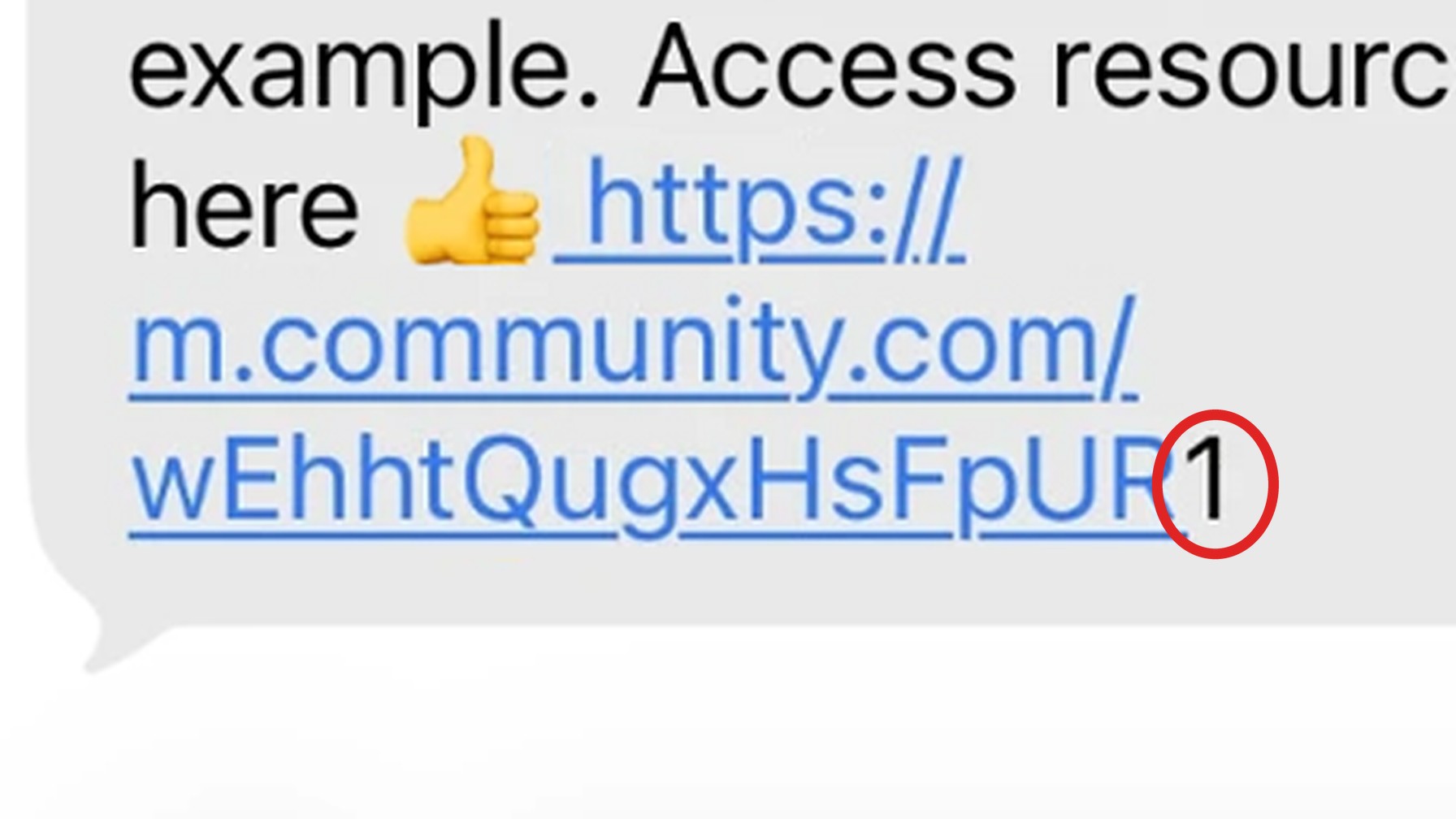
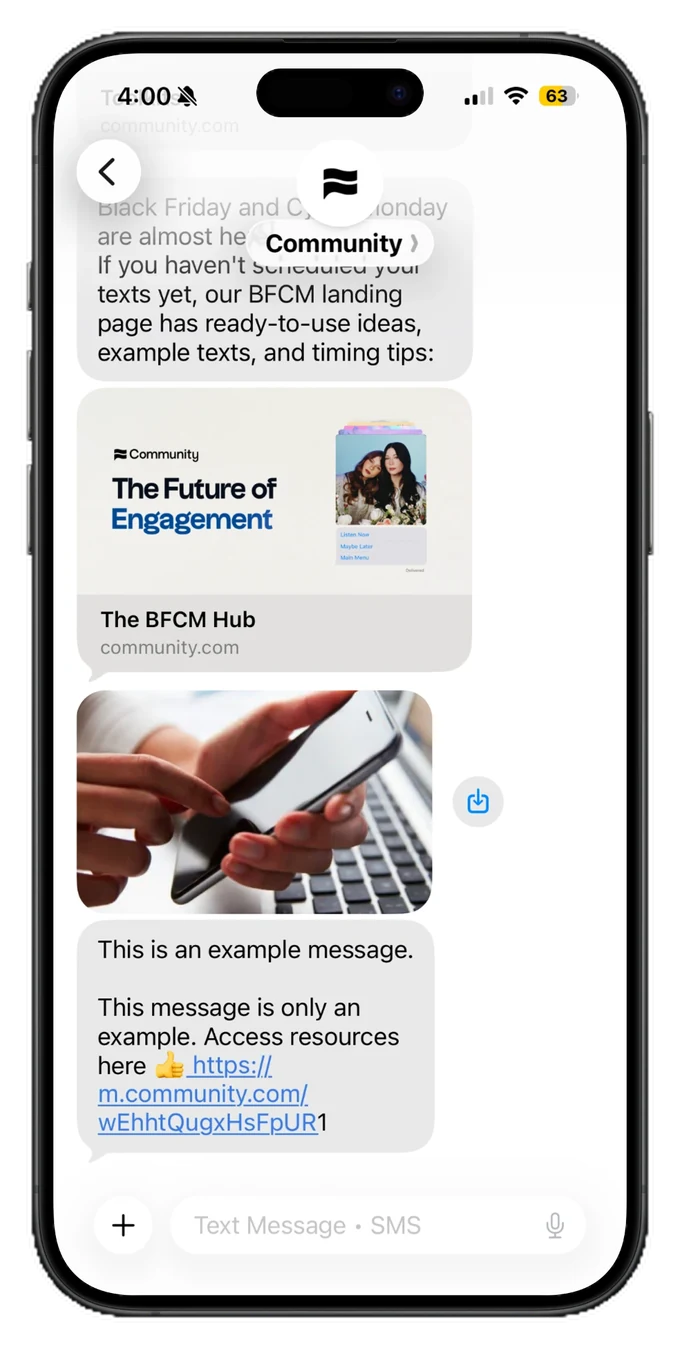
If a link in one of your recent MMS messages looked slightly off on an iPhone, with the underline missing the last character, you're seeing a confirmed bug in Apple's iOS 27 Messages app. Your links still go exactly where they should, and your click data is intact.
Below is what's causing it, what you can do about it, and what Community is doing on your behalf.
How the bug works
When the iOS 27 Messages app displays an MMS message (any text that includes an image, GIF, or other media), the hyperlink underline picks up the URL, but leaves the final letter or number looking like plain text.
The problem is purely visual. When a member taps the link, iOS opens the full, correct URL, and your click tracking and destination routing work as normal.
The bug lives in Apple's Messages app, not in Community, your carrier, or the way your message is written. Members on Android, on earlier versions of iOS, or receiving a text-only SMS see your links displayed correctly.
Who the bug affects
The problem doesn’t affect all iPhone users. This is strictly a bug in iOS 27. Anyone running software prior to iOS 27 will not experience this display issue. And the issue only affects MMS messages that include an image, gif, or other media.
What you can do
For most messages, nothing. This is an operating system rendering bug, so there's no setting to change in Community or on your phone. Messaging providers have flagged it to Apple, and a fix is expected in an upcoming iOS point update.
If the look of a link is a priority for a specific campaign, you have a few options.
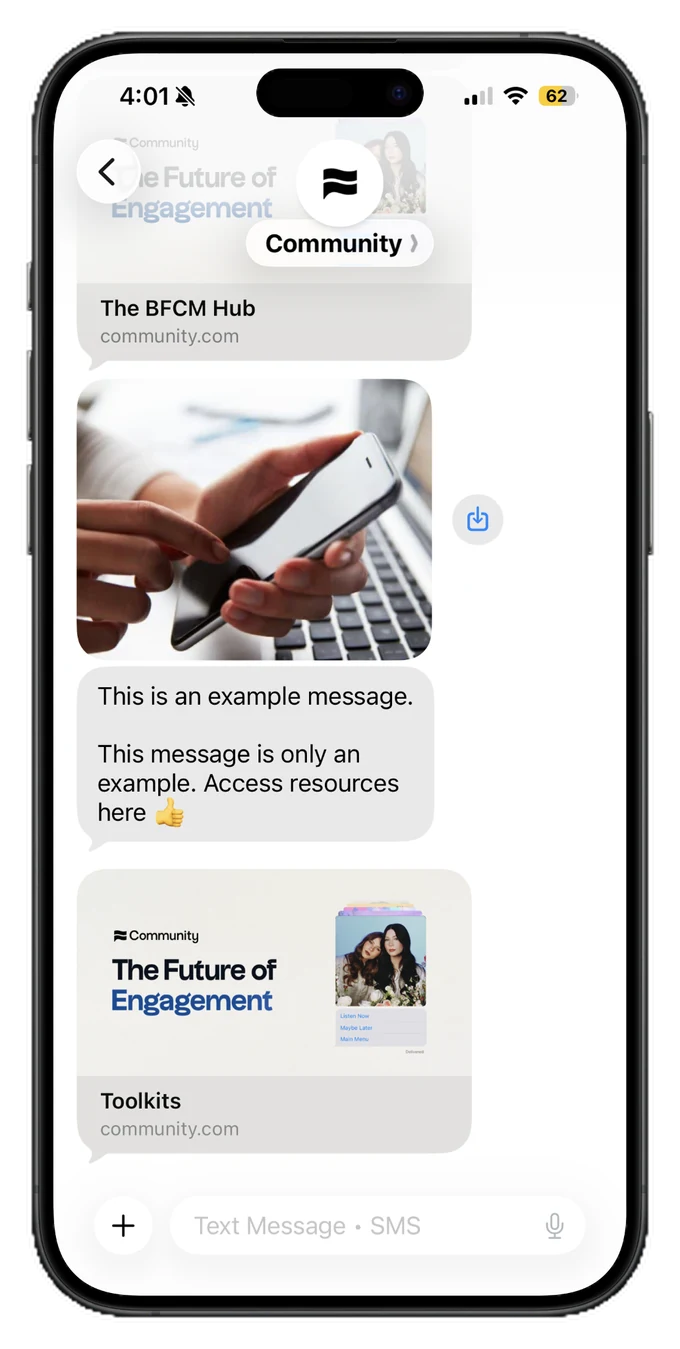
- You can send the image separately with an SMS text directly after so your links display cleanly
- You can drop the image and send that message as a text-only SMS
Dropping the image or GIF keeps the message out of the MMS rendering path, and the link displays correctly on every device.
What Community has done
We've reported the bug to Apple and are watching each iOS release for the fix.
Email us at yourfriends@community.com with any questions or if you need help determining your best path forward.